Desktop & app delivery
Role-based workspaces, browser access, packaged applications and persistent user sessions.
Office · business · admin · branchAIOTOR PIXELD · WORKSTATION TO GPU CLOUD
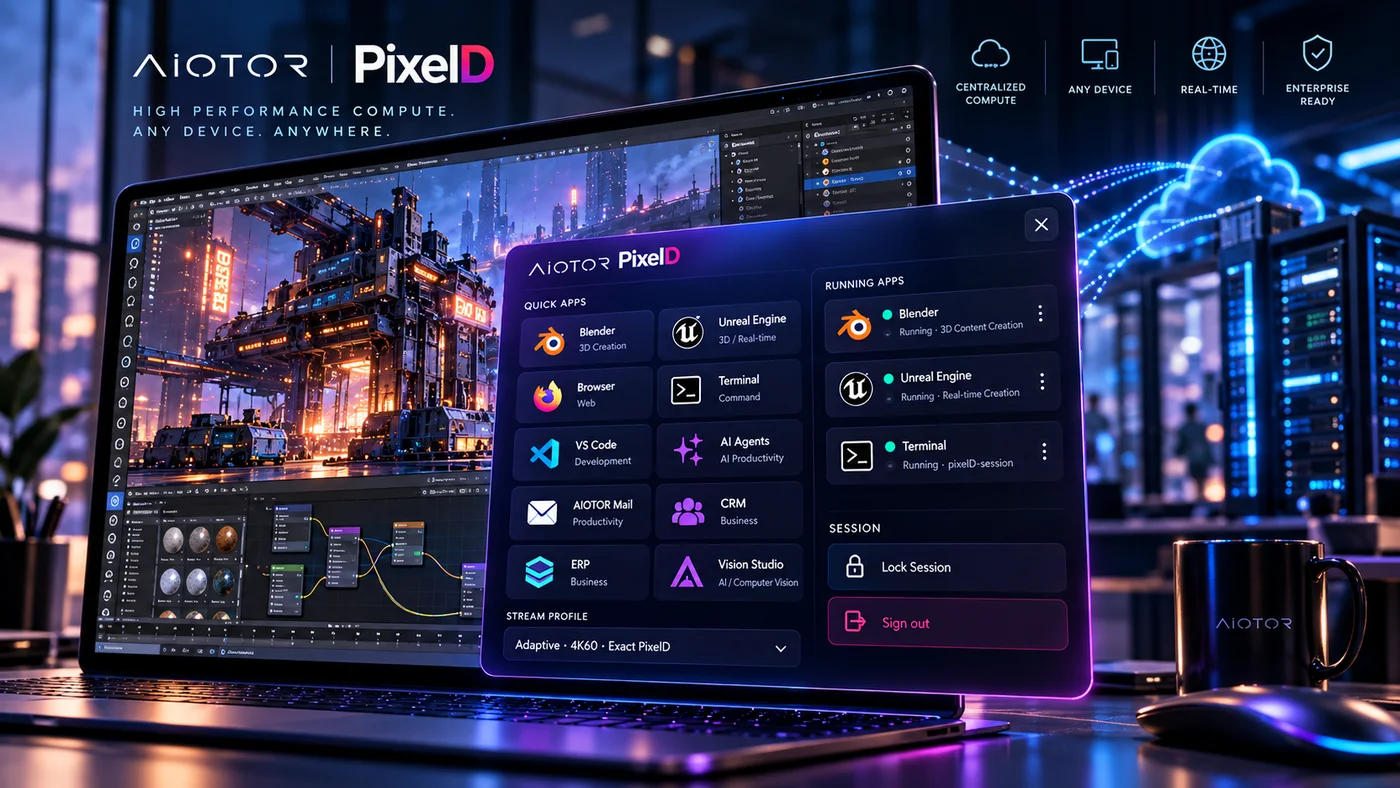
PixelD is the execution platform between users, applications and managed compute: standard Workstations, GPU Workstations, Research Workstations, GPU Cloud, VDI and virtual apps, CAD/3D, Unreal-class interactive streaming, controlled development, managed application runtime and immersive VR/XR.
PIXELD PRODUCT FAMILY
PixelD presents compute through products people can understand. The underlying CPU/GPU capacity can change without forcing researchers, engineers and business users to start from cloud infrastructure controls.
Persistent managed desktop for everyday business and technical work.
Standard / flexible compute →02Interactive accelerated desktop for engineering, Unreal, 3D and AI development.
GPU-first interactive compute →03Full desktop UI with notebooks, vision, simulation, code and governed project data.
Desktop first · GPU attachable →04Elastic GPU capacity for workstations or headless training, inference, rendering and simulation.
Desktop optional →05Dedicated Edge Mini plus compatible existing devices as lightweight access points.
Launching 8 Nov 2026 →06Planned local/offline desktop with connected PixelD workspace mode.
Local + connected →PIXELD IN ONE MINUTE
Think of PixelD as the operating fabric between people and centralized compute. It can deliver a normal virtual desktop, a 4K GPU workstation, a research environment, an Unreal-class interactive application, a development workspace, a managed business application or an immersive XR session without turning each use case into a separate infrastructure island.
The endpoint is the interaction surface—not necessarily where the heavy workload runs.
PixelD places the user into the right managed environment and operating profile.
The workload executes where performance, governance, recovery and economics make sense.
PIXELD USE-CASE MAP
PixelD should be understood by the workload it enables. Start with a familiar virtual desktop or application-delivery problem, then extend the same managed fabric into GPU, research, development or immersive compute where required.
MEASURED INTERACTIVE PERFORMANCE
Current qualification measured a live 3840×2160 Unreal Editor workload through the general PixelD workstation path. The figures below are workload-specific evidence, not a promise that every WAN or workload will behave identically.
Internal qualification, 19 Oct 2026, on the current constrained test host. End-to-end user experience depends on WAN quality, workload, endpoint capability and assigned compute profile; 8.14 ms is the measured server video path and is not an input-to-photon latency claim.
Interactive 3D proof: an internally developed real-time game has also been run on PixelD, demonstrating interactive 3D application execution on the fabric. VR headset display, tracking, motion-to-photon and controller paths remain device-specific qualification items before production performance claims.
BEYOND THE VDI CATEGORY
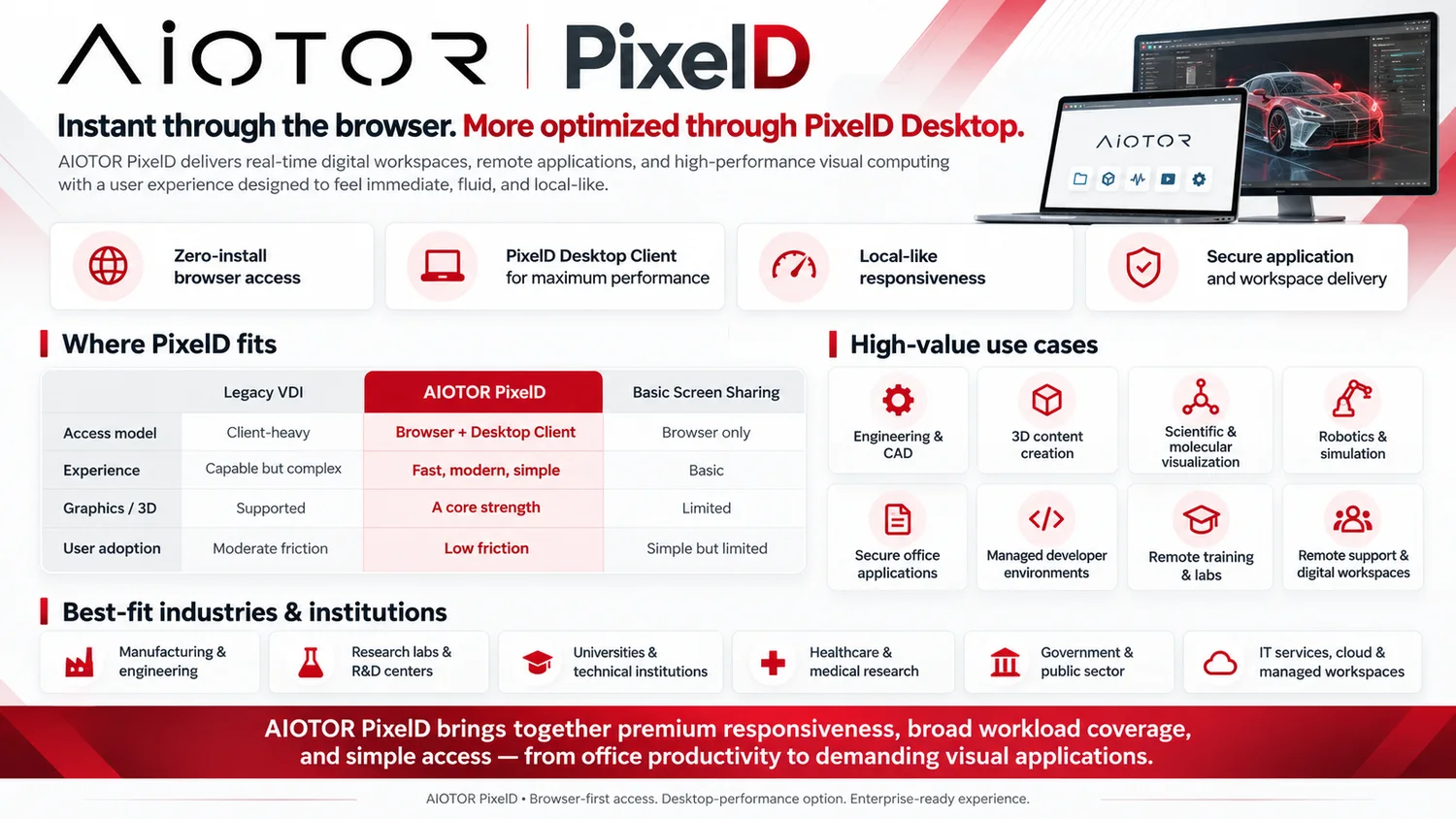
Traditional VDI starts with delivering a desktop. PixelD starts with the workload and gives IT one controlled environment for interactive desktops, applications, high-compute work, development and managed runtimes.
Role-based workspaces, browser access, packaged applications and persistent user sessions.
Office · business · admin · branch4K workstation profiles for CAD, 3D, visualization, simulation and other graphics-intensive work.
CPU · GPU · 3D · real-timeCentralized accelerated environments for notebooks, AI tooling, computer vision, research and model-driven workflows.
AI · ML · vision · scienceGive developers approved tools, repositories and build environments without distributing the entire infrastructure to endpoints.
Build · test · debug · governRun qualified PixelWeb and internal application releases on managed private endpoints with health and rollback controls.
Private endpoint · release · rollbackManage compute profiles, application sets, access, support and environment lifecycle centrally instead of per workstation.
Provision · observe · support · scaleRun immersive applications and real-time 3D experiences on PixelD-managed CPU/GPU compute. Headset display, tracking and input paths are qualified per device and deployment.
VR · XR · simulation · gamesWHY PIXELD
The commercial value is simple: reuse capable endpoints, centralize expensive compute, standardize application environments and keep high-value data under organizational control.
Extend endpoint life and avoid peak-sizing every user device for workloads that only some people need some of the time.
Move from office productivity to engineering, visualization, simulation, development and GPU-backed work without rebuilding the endpoint estate.
Centralize applications, project data, access policy and support around the compute environment instead of distributing the full working set to every device.
FIVE ENTERPRISE OUTCOMES
PixelD should be evaluated as an operating model for high-value work, not only as a remote-display protocol.
Adaptive visual delivery, high-resolution workstation profiles and workload-aware compute are designed to keep demanding work usable across distributed locations.
Applications, compute profiles, project environments and support stay centrally managed while users retain device flexibility.
Centralized data paths, private application endpoints and KIVVEC security intelligence can reduce the amount of high-value working state scattered across endpoints.
KVFES snapshots, versions and disaster-recovery workflows can protect the data foundation underneath PixelD environments.
Extend endpoint life, centralize premium CPU/GPU capacity and avoid sizing every user device for peak workloads that are only occasionally required.
PACKAGED APPLICATION ENVIRONMENT
PixelD can package the tools a role needs into the managed desktop, from everyday Office applications to demanding engineering and visualization software.
ONE WORKSPACE · MANY WORKLOADS
PixelD is designed so the workspace follows the user while the compute profile follows the workload.
Product design, technical drawing, CAD review and model interaction.
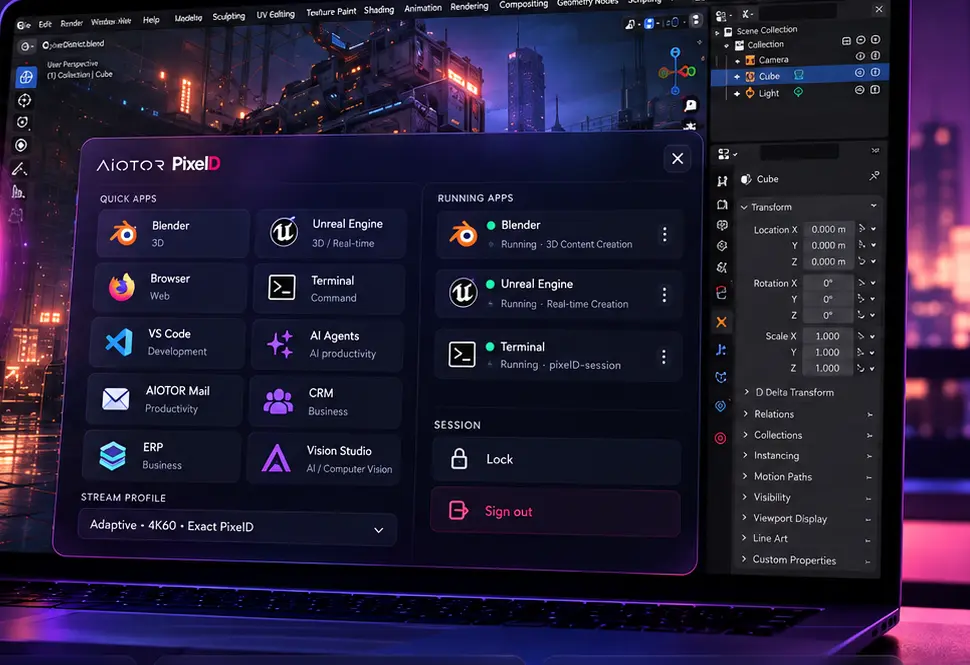
Blender-class modelling, Unreal-class visualization, interactive games, VR/XR experiences and simulation.
Developer tools, terminals, notebooks, browsers and accelerated project environments.
Robotics, molecular visualization, simulation and shared institutional compute.
ERP, CRM, analytics, dashboards and controlled internal tools.
Documents, spreadsheets, presentations, PDF workflows and daily productivity.
Repeatable role-based environments for classrooms, technical labs and temporary teams.
Governed desktops for distributed branches, contractors, administrators and remote experts.
HOW THE MODEL CHANGES
PixelD separates interaction from execution so organizations can modernize compute independently from the device lifecycle.
The edge focuses on display, input and secure access; immersive endpoints add headset-specific tracking and controller integration.
Users enter a consistent workspace with centrally governed applications and desktop state.
Shared or dedicated profiles can be right-sized around workload and security requirements.
AIOTOR WORK SUITE + PIXELD
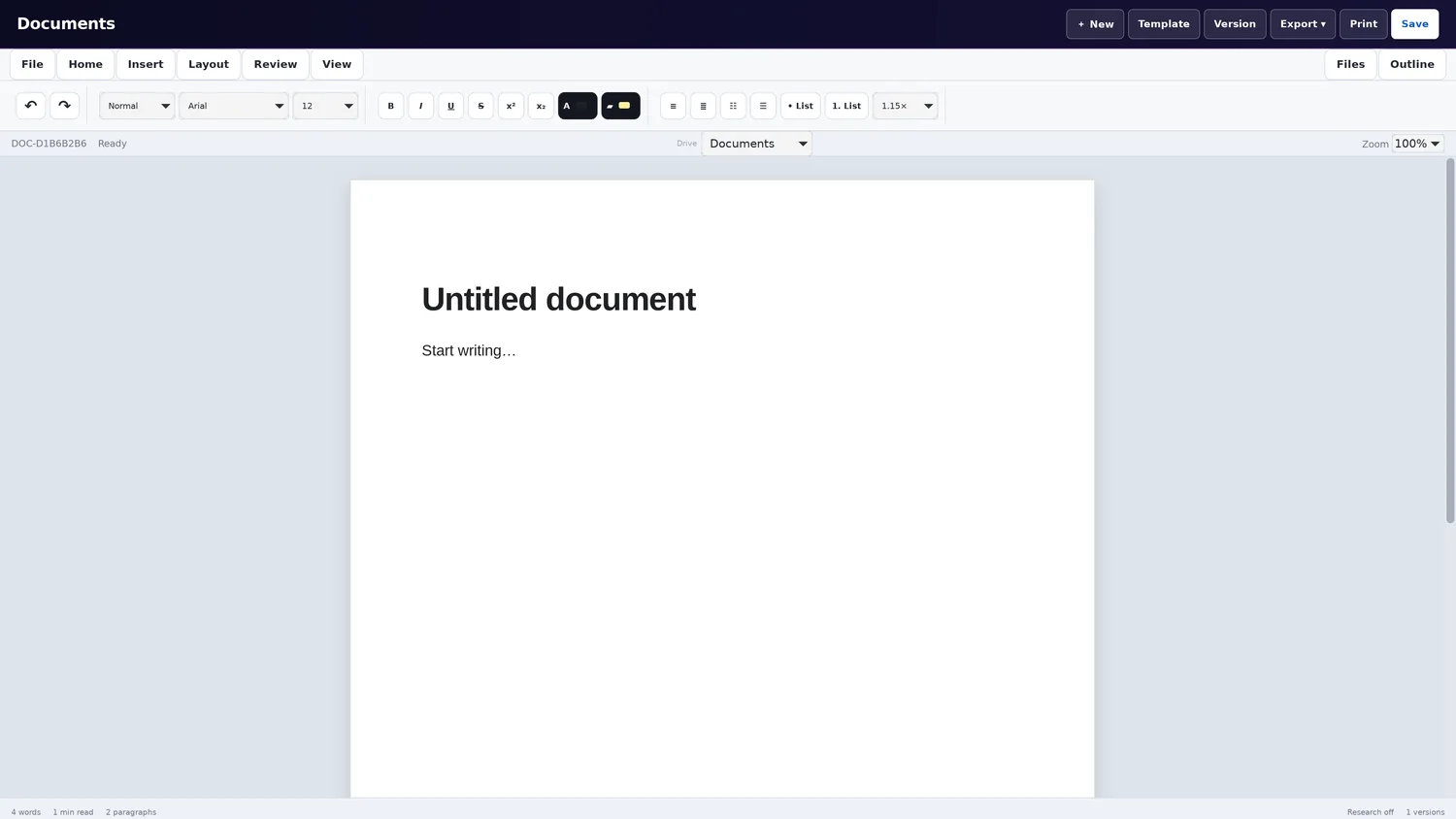
AIOTOR Mail, Drive, Office, Meetings and Remote Control sit around PixelD so users can move from communication to files, documents, collaboration, compute and support without leaving the product family.
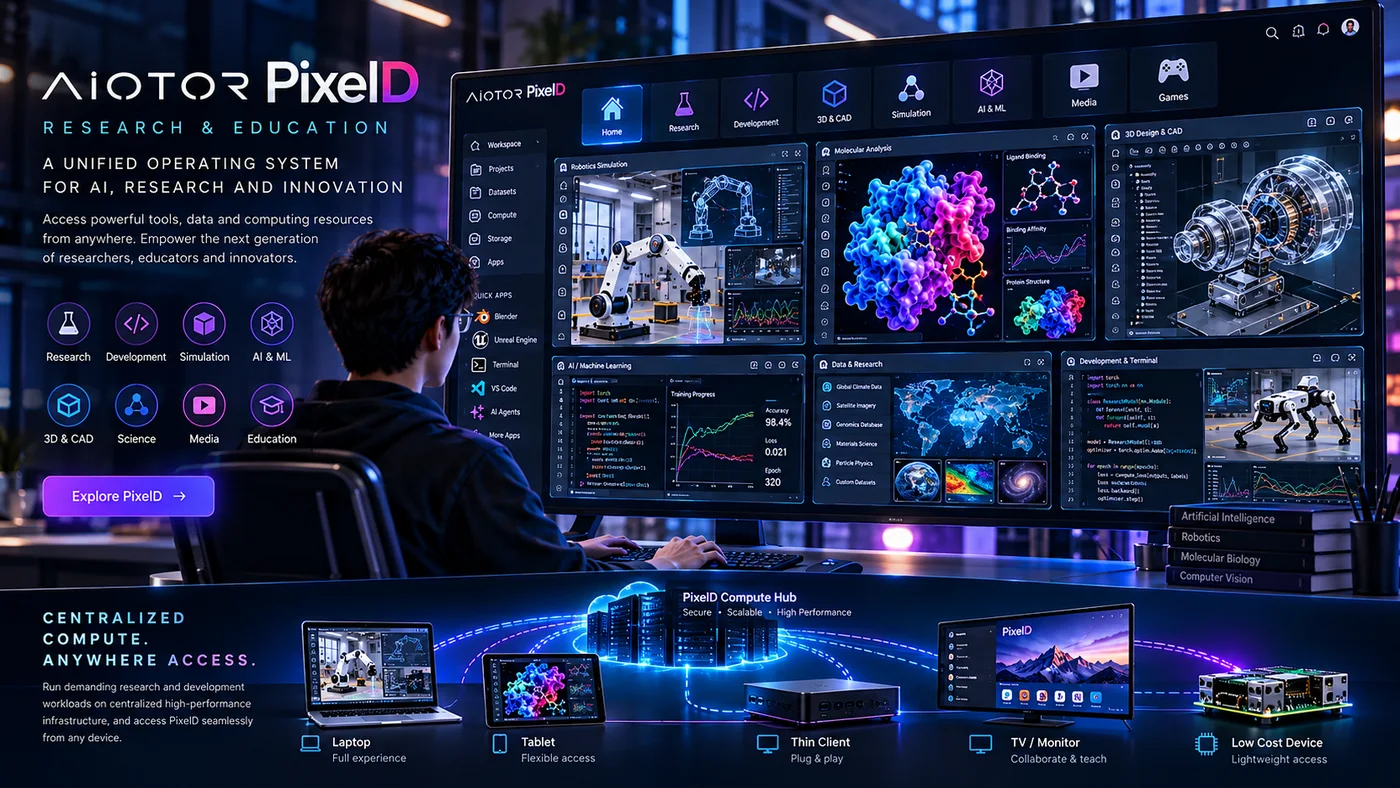
RESEARCH · EDUCATION · ENGINEERING
Researchers enter a complete managed desktop with notebooks, code, vision, simulation and governed project data. Standard, GPU, High GPU or Multi-GPU profiles can be attached according to workload and deployment policy.
PIXELD APPLICATION HOSTING
PixelD can provide the controlled application environment behind PixelWeb deployments, keeping public exposure at the gateway while application endpoints, resources and release lifecycle remain centrally managed.

 DESKTOPS · DEVELOPMENT · APPLICATION HOSTING
Route public requests through the gateway while the application itself remains on a controlled internal endpoint.
Use versioned artifacts and centralized lifecycle operations instead of editing a live public server in place.
Apply deployment-specific resource, network and service policies around the application environment.
Hosting and isolation profiles depend on deployment configuration and qualification.
PIXELD DEVELOPMENT WORKSPACE
PixelD can become the controlled development environment, PixelWeb the build and publishing layer, and KIVVEC the security qualification gate before an application reaches production.
PIXELD BY INDUSTRY
The same compute fabric can be shaped differently for regulated finance, industrial engineering, healthcare research, public-sector operations, education and distributed branch estates.
Analyst, developer, branch, privileged-operation and BCP environments with centralized data, controlled access and recovery-oriented infrastructure.
CAD and 3D review, remote experts, supplier collaboration, plant applications, visualization and AI-assisted industrial workflows.
Medical research imaging, scientific visualization, AI/ML, shared laboratory environments and remote specialist access under institutional control.
Government desktops, technical applications, secure administration, research environments and branch access with deployment control.
Engineering, AI, programming, robotics, simulation and 3D tools from institutional compute to laptops, labs and lower-cost endpoints.
Standardized branch workspaces, role-based applications, remote support and rapid environment updates without rebuilding every endpoint.
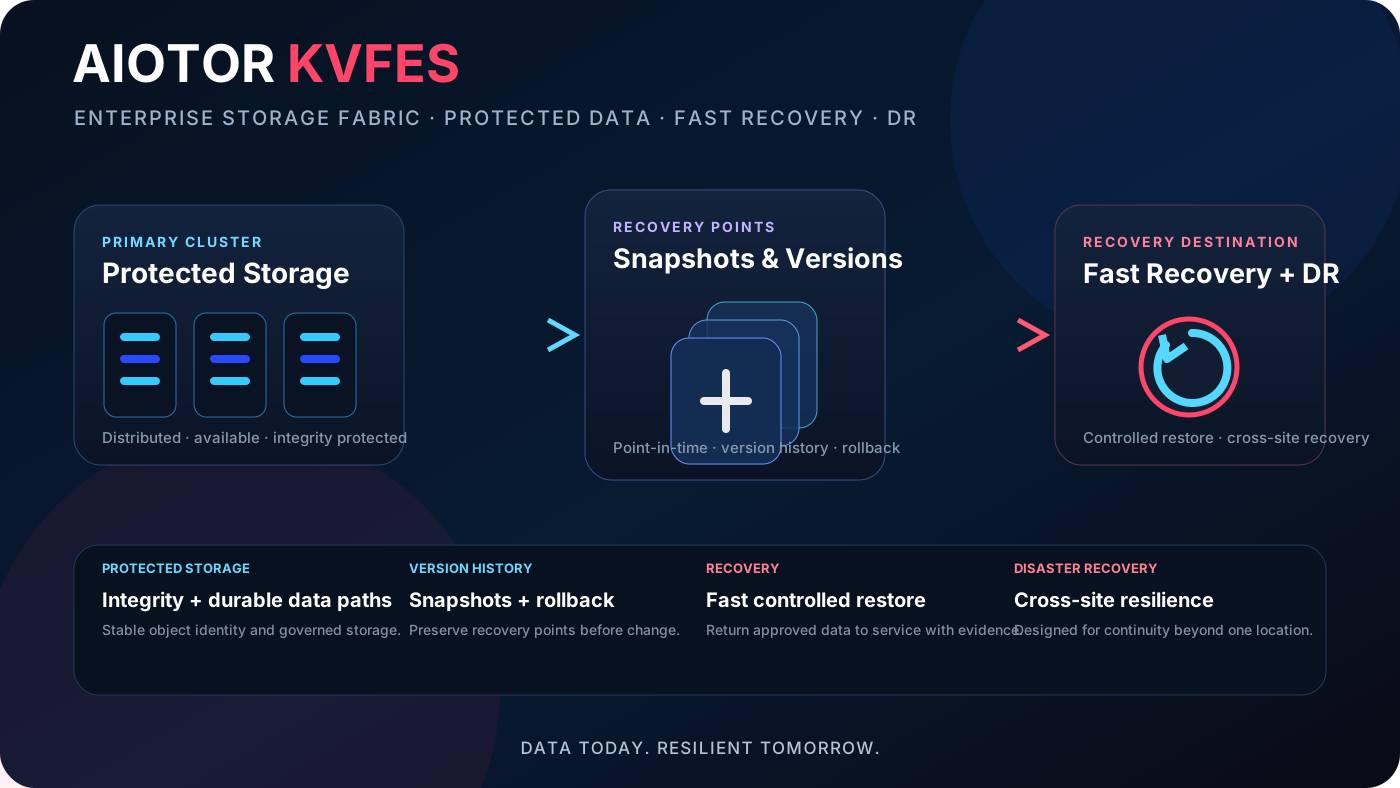
PIXELD + KVFES
Pair PixelD visual compute with KVFES protected storage, snapshots, version history, fast recovery and disaster recovery so high-value workspaces can recover cleanly without scattering project data across endpoints.
PIXELD PILOT
Start with a controlled team, application set and compute profile. Measure interaction quality, application performance, support effort, endpoint reuse and operational control before expanding.